» Site Navigation

2 members and 2,206 guests
Most users ever online was 54,199, 06-29-2026 at 02:43 AM.
» Today's Birthdays
» Stats
Members: 76,107
Threads: 249,255
Posts: 2,573,004
Top Poster: JLC (31,651)
|
-
Registered User

help me
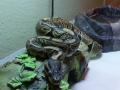
Hello this is my first time here and so far I like what I see. My question is ... how do I create a avatar for my profile I would like to upload a pic of my Python and use it as my user image, is this possible to do and how do I do it. Thanx alot to anyone who can help me.
-
-
BPnet Veteran

Re: help me
1. Pick your image.
2. Re-size it to 150 x 120 or 200 x 200 (whether you are using a profile image or avatar). This can be done by using Paint.
3. Go to User CP (Control Panel).
4. Click on Avatar or Profile Image.
5. Go down to the bottom of the page.
6. Pick "Browse...".
7. Choose picture.
8. Press save.
~!* Mackenzie R. *!~
(Middletown, Ohio, USA)
~ 1.0.0 python regius "*Ozzy*". ~
Formerly known as " Sadistic Serpent "
-
The Following User Says Thank You to RR - Mackenzie For This Useful Post:
lauderdale80 (07-14-2010)
-
Registered User
Re: help me
Your the best thank you sooo much I was getting pissed cause I couldnt find what I was looking for !!! lol
-
-
Registered User
Re: help me
Wait a min, how do I get my profile image to show up on my posts like yours does ??? ... never mind I got it !!!
Last edited by lauderdale80; 07-14-2010 at 02:59 AM.
Reason: Im stupid !!!
-
-
BPnet Veteran
~!* Mackenzie R. *!~
(Middletown, Ohio, USA)
~ 1.0.0 python regius "*Ozzy*". ~
Formerly known as " Sadistic Serpent "
-
-
Re: help me
Welcome to BP.net  Any other questions you may have feel free to ask!!! Any other questions you may have feel free to ask!!!
-
-
Re: help me
Hello, and  to BP.net... to BP.net...
"Cry, Havoc! And let slip the dogs of war..."
-
Posting Permissions
- You may not post new threads
- You may not post replies
- You may not post attachments
- You may not edit your posts
-
Forum Rules
|






 Reply With Quote